
All FPS players bitch and moan about the graphics, refresh rates, fps (frames per second), sound, keyboard bindings, etc.
For me – it’s about the FOV and mouse settings. I don’t care about the eye candy (wrong game) but to be fair – it HAS to look like it was made before 2004/2005 period. One of the reasons why I never got into the CS, or especially CS:GO is that it looks like something I played 15 years ago. Sorry for all you skin/color/bandana wearing monkeys. Nope! Oh, and no AIM DOWN SIGHTS? What is this? A console? Junk. Can’t wait for next CS installment to bring us an “ultimate experience” using 3prd person view a-la another failed FPS thieves, H1Z1 (looking at you Sony).
Anyway, I got carried away in a rant almost – back to MICE!
No, not that fluffy vermin girls “awwwww” on youtube vids, but scream bloody murder when they see one in their homes, but the mechanical one, one for the PC.
I’ll share my setup with your.
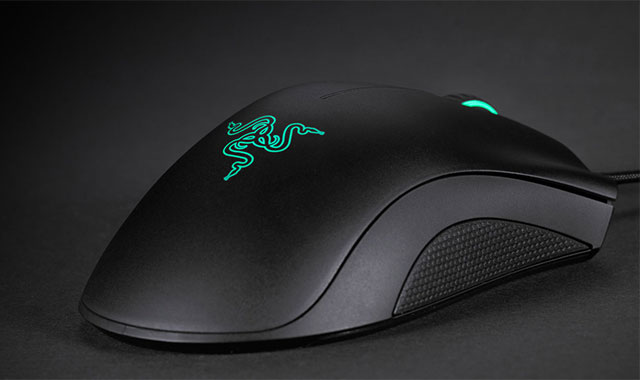
Ihave a rather large (wide) palm with chunky fingers, and I’m a “palm-er” not a “claw-er” thus, I need a mouse that’s wide enough so my palm edge does not rub against the mouse pad when holding a mouse. I have used G5 for the longest time – until the stupid cord got completely devoid of clothed-sheathing – so I needed a new one. Oh, I’m also a cheap bastard, so nothing over $40 was the requirement.
Enter …

Stupid looking, but I don’t care. It’s good enough for me. Software is clunky (as usual German software is – functional, but clunky, rigid, and really, quite limited).
Anyhow, set that boy to 1,000 dpi, and let’s proceed.
In order to completely fix your (potential) mouse issues, we need to make sure you’ve disabled your mouse acceleration everywhere. Windows, your drivers, your mouse software and in game.
This mouse and it’s German creators (overlords?) have decided not to call it “acceleration” but some stupid thing – like “Improve Mouse Precision” ?!? Seriously, “German Sparkle Party” makes more sense. *youtube it you lazy sods*.
Thus, uncheck that in your mouse software. I may add pictures later.
Next, head over to your Windows ControlPanel.. oh wait. 95% of you don’t “have it” anymore. Right? FU Microsoft. You’re not fkin Apple, nor should you be. So stop messing with good stuff and fix your idiotic FileManager, Command Prompt, WiFi, and other issues. Oh, and stop screwing my damn ASUS XONAR U7 sound card by killi9ng my Dolby HiFi control. Nadela my a$$. Idiots sometimes. Anyhow – open your windows Mouse Properties (Win+R -> main.cpl -> hit enter) remove enhanced pointer precision under “Pointer Options” tab, and put that mouse slider to “6” (yes, you can: click on the slider (once!!!!!!!!!!!!!!!!) to select it (give it “focus”) then use left and right arrow on your keyboard and put it in 6th position from the right).
Hit apply or ok, or both – don’t care. Make sure windows saved that.
Now we open our favorite text editor (in my case it’s notepad++ 32bit (because x64 version is missing many plugins I need) and we’ll open a GaneSettings.ini file of our Rainbow Six Siege.
Find it under your “Documents\My Games\Rainbow6Siege (or whatever) it’s in one of the 2 subfolders under it.
Make a nice copy of said file, and open the original one.
Now, pull out your calculator, or Win+R -> calc -> <enter key (return)> …
… to be continued….